Based on true events.
I came to this article from a real production issue. Let me start by sharing the problem. DigitalOcean's current MCP server is a local MCP: https://github.com/digitalocean-labs/mcp-digitalocean. But adding remote MCP in MCP tooling is easier, and many tools can't integrate with local MCP, for example, remote MCP is suitable with chatGPT, local MCP is not.
DigitalOcean's practice is to have a lot of tests written here, various types of tests. E2E (end-to-end) tests are written for remote MCP. Which run in our internal pipeline. However, the tests are public and you can see them here.
Thanks for reading Aryan's Journal! Subscribe for free to receive new posts and support my work.
So while setting up the remote MCP pipeline, I saw that CI was failing on E2E. Although locally, both mac and linux tests were passing! It was failing because I (myself) had overlooked a very basic thing.
Failing CI and Where It's Coming From
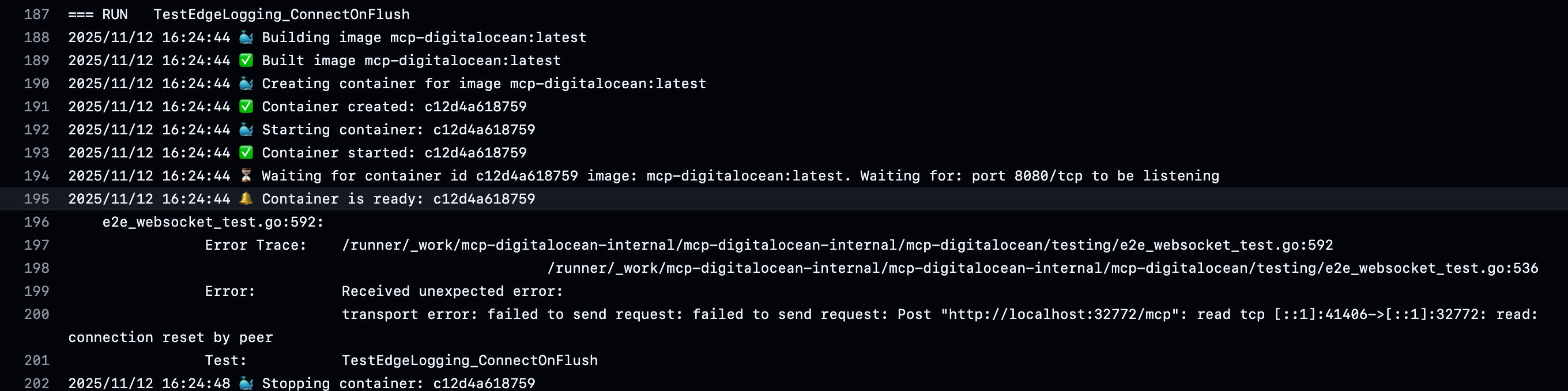
A failed test from our internal pipeline. The error is:
transport error: failed to send request: failed to send request: Post "http://localhost:32772/mcp": read tcp [::1]:41406->[::1]:32772: read: connection reset by peerNow if we look at the error, it's showing that after requesting from localhost, the request is establishing but then the request is being closed. Connection reset by peer doesn't mean both parties agreed to close the connection, it's more like slamming the door!
The interesting thing is that it successfully runs on local machine, both mac and linux, but not in github action! So what's happening? Many of you might have figured it out. For those still guessing, here's a hint:
Post "http://localhost:32772/mcp": read tcp [::1]:41406->[::1]:32772
Root Cause Analysis
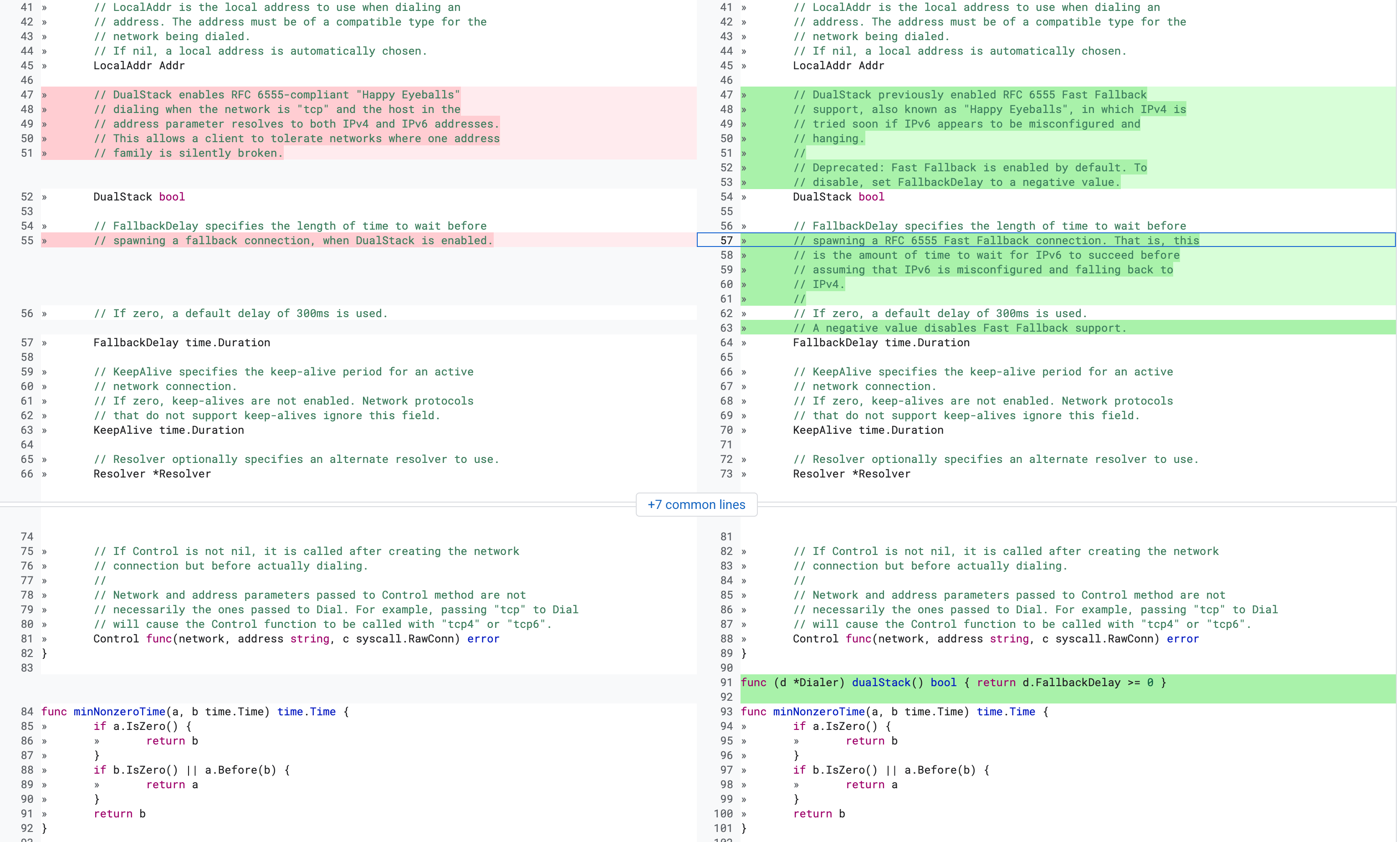
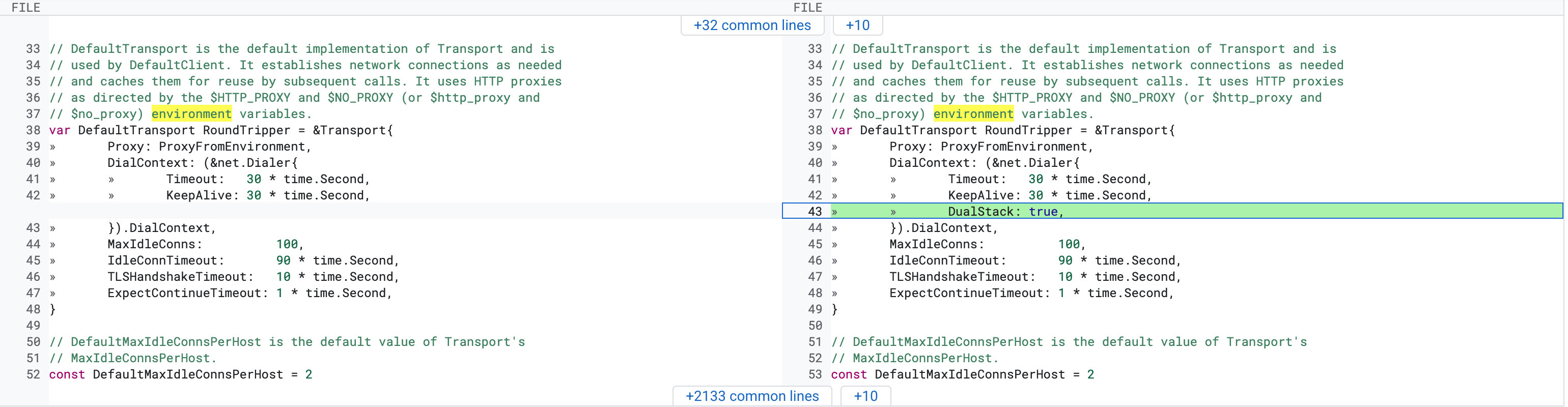
Here, the client is first requesting a local container running in github action, through localhost. Connection is establishing. But it established with IPv6 (**[::1]**). Because when going through localhost, a hostname resolution lookup happens. Which returns IPv6. Although we didn't explicitly request for IPv6, we still got IPv6 result because the go client actually sends 2 requests by default when establishing a connection. This could have been configured with the DualStack boolean. DualStack means trying to dial IPv4 + IPv6 together (Happy Eyeballs algorithm).
On Aug 31, 2016, this feature was added to go's net/http package: https://go-review.googlesource.com/c/go/+/28077/3/src/net/http/transport.go.
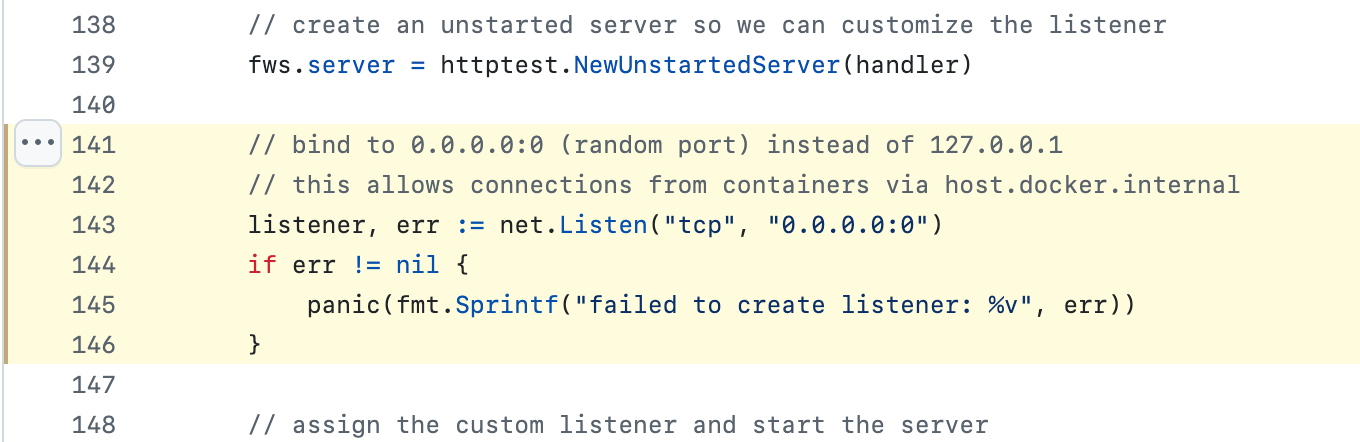
But the problem is, FakeWebsocketServer is only listening on IPv4 digitalocean-labs/mcp-digitalocean/testing/e2e_websocket_test.go.
If we look at go's net/ package documentation, this is the following:
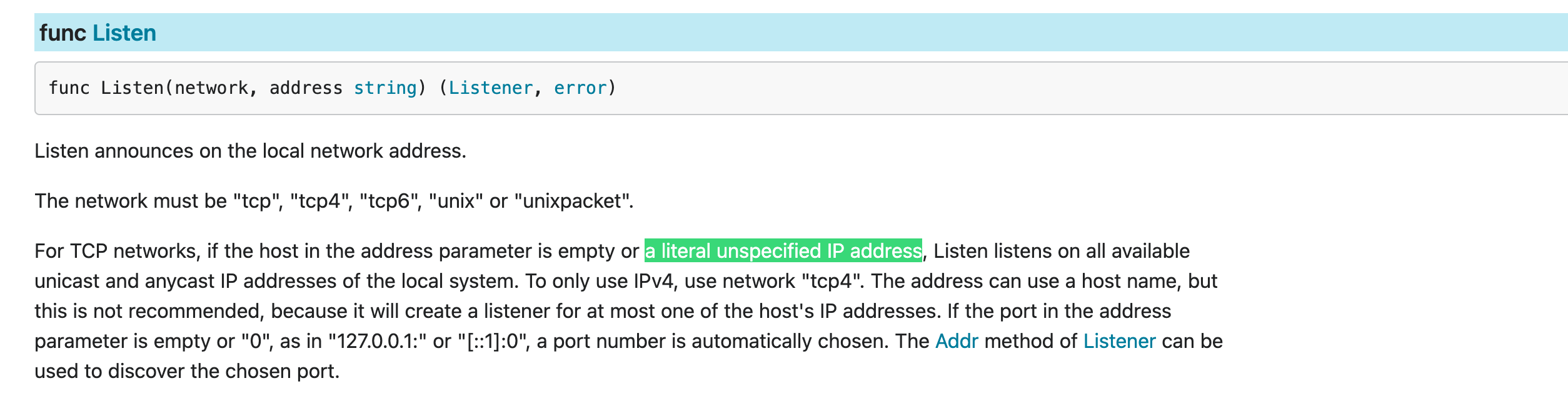
Here I'm highlighting **a literal unspecified IP address**, we're explicitly specifying IPv4 with **0.0.0.0**. Trying to show a sequence.
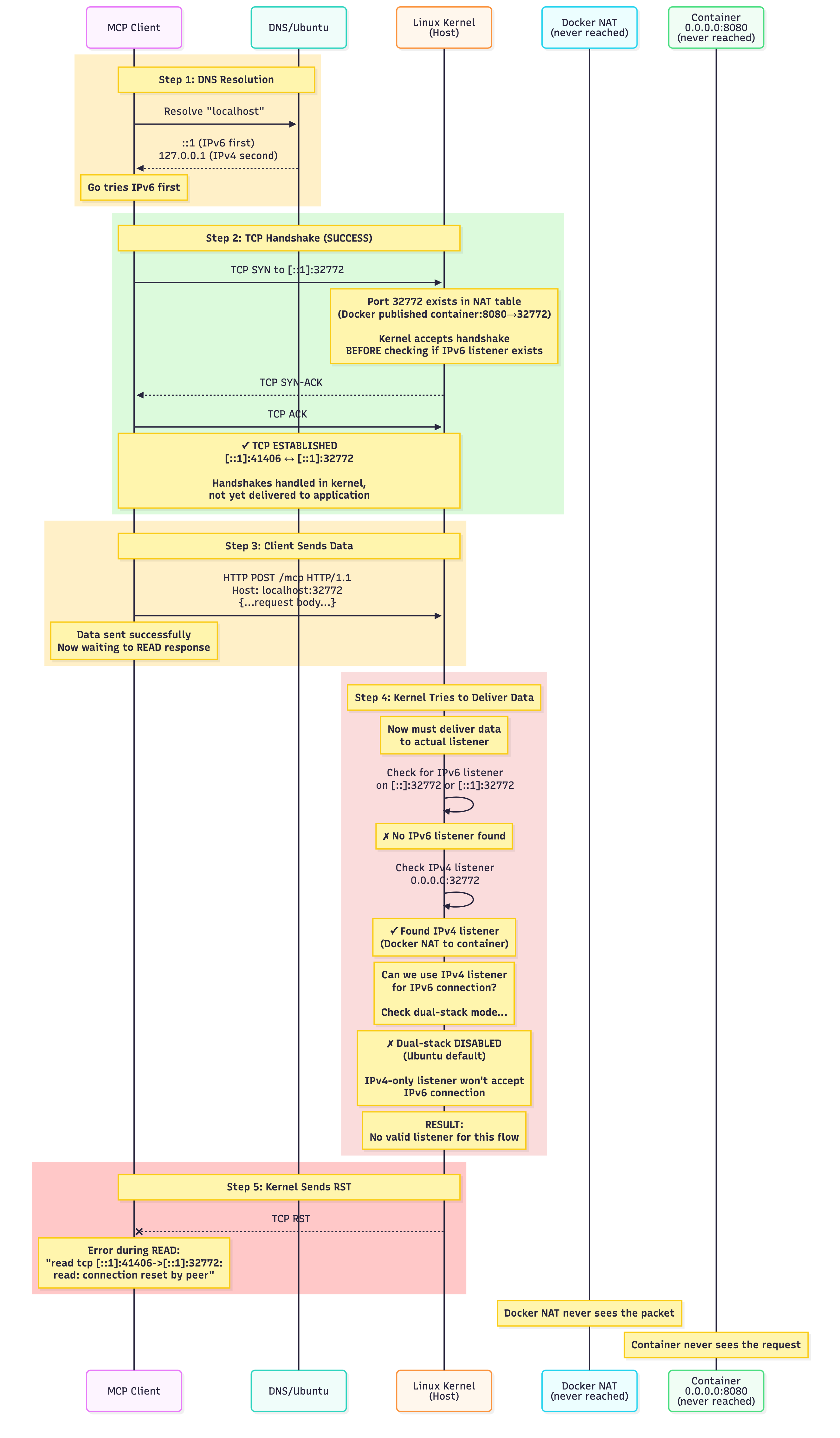
We didn't get connection failed from the start. A connection was established, then it failed while reading the stream. So, in short, we're getting connection RST (reset) from the linux kernel due to a mix and match of IPv6 and IPv4 here.
Solution
As a solution, if we don't leave it to go to decide whether to request on IPv6 or IPv4, but take control ourselves and tell it to request on IPv4, our problem is solved. This is the small PR https://github.com/digitalocean-labs/mcp-digitalocean/pull/195. The changes in this PR simply change from localhost to 127.0.0.1.
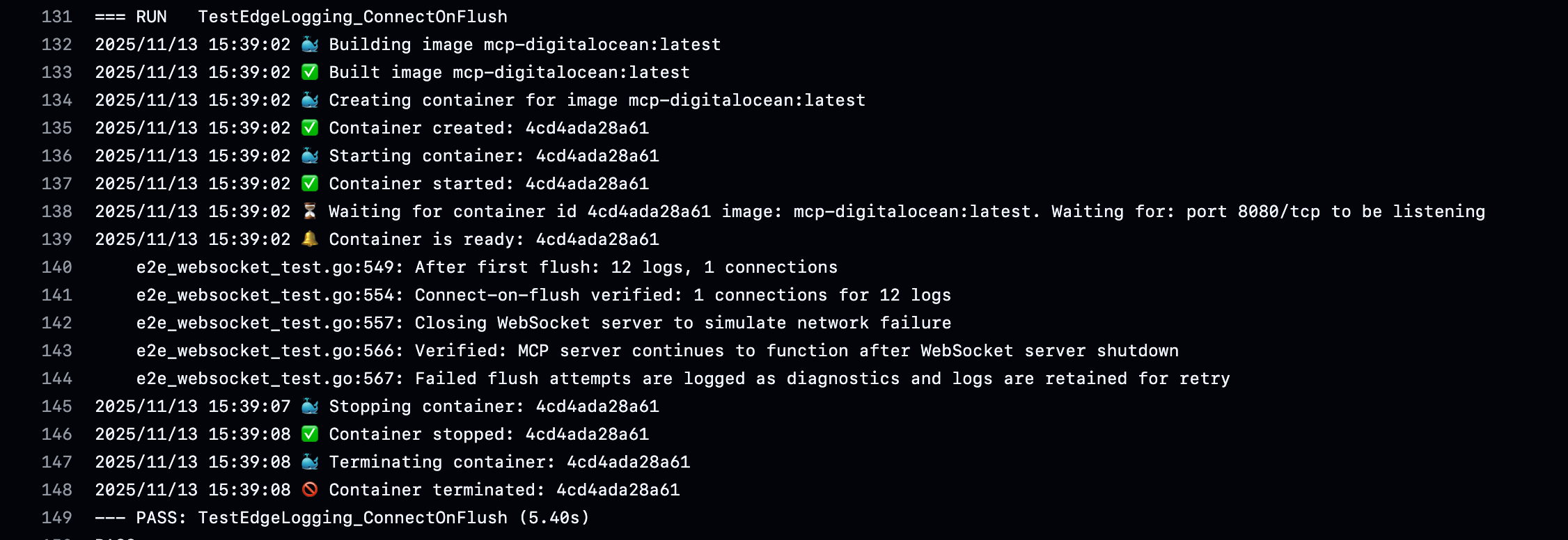
And our CI is green.
localhost and 127.0.0.1
Many of us use localhost and 127.0.0.1 interchangeably. However, there's a fundamental difference between them. 127.0.0.1 is a fixed IP address in a larger loopback range. 127.0.0.1 is actually part of 127.0.0.0/8. Being a specific IP, it doesn't require DNS resolution or hostname resolution here.
On the other hand, localhost is a hostname. A hostname is a human-readable label/name for network connected devices. For example, printer.local, raspberrypi.local etc. If we dial/request with localhost, then the IP address needs to be resolved for that device first. Back to basics, OSI Networking layer 2.
Since DNS isn't being used here, the /etc/hosts file (on unix like systems) has some records, which state which IP for which hostname. Same file on Mac too.
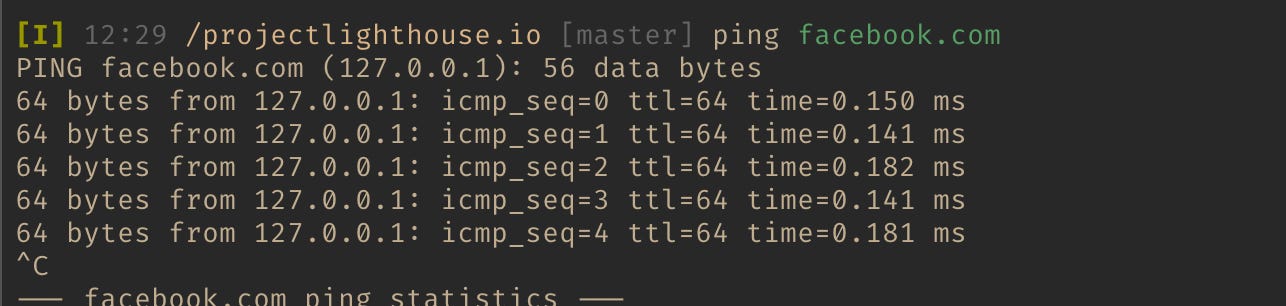
If we change the /etc/hosts file and set facebook.com to 127.0.0.1 IP, then going to facebook.com from that machine will show unable to connect. My /etc/hosts file:
##
# Host Database
#
# localhost is used to configure the loopback interface
# when the system is booting.  Do not change this entry.
##
127.0.0.1       localhost

127.0.0.1       facebook.com
::1             facebook.com       # For IPv6
127.0.0.1       www.facebook.com
::1             www.facebook.com   # For www. subdomain, IPv6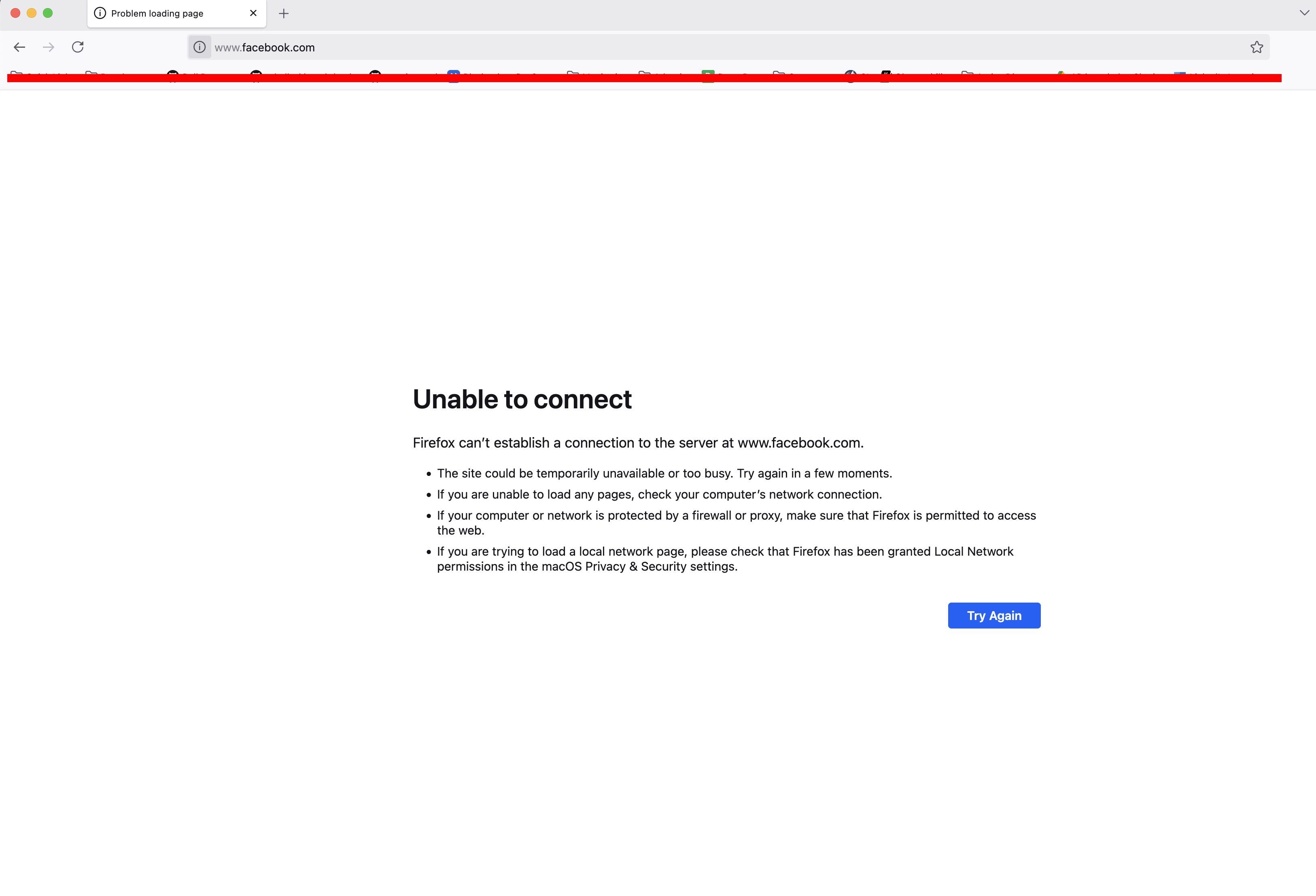
And running a ping command **ping facebook.com**; this is also failing. If you note the IP for ping, 127.0.0.1!
If you tried this and facebook.com still keeps resolving, the reason is DNS caching. There's a program called dscacheutil that will help you show the resolved IP.
dscacheutil -q host -a name facebook.com
name: facebook.com
ipv6_address: ::1

name: facebook.com
ip_address: 127.0.0.1
Pretty cool hah?
A Fun Fact
Several years ago, using this technique, Bangladesh gray hat hackers (or rotating rotor whose admin it was) claimed to have hacked 3CA (3xp1r3 Cyber Army)'s forum, gave a video as proof. But actually, they edited the 3CA forum's hostname in /etc/hosts and uploaded a video of serving a local file as far as I remember >_<.
Docker and Container Networking
Understanding this in containerized environments is important. Many people mix and match here (I used to too at one time), and a lot of time was spent debugging.
Both localhost and 127.0.0.1 always refer to the loopback interface of the current network namespace. However, each container has its own isolated network namespace. Let's say we have an app running:
# From host machine:
docker run -p 8080:8080 projectlighthouse

# On the host, localhost/127.0.0.1 refer to the HOST namespace:
# Connects to host's 127.0.0.1:8080 (port forwarded to container)
curl http://localhost:8080

# Same - connects to host's loopback
curl http://127.0.0.1:8080

# Inside the container, localhost/127.0.0.1 refer to the CONTAINER namespace:
docker exec -it projectlighthouse bash

# Connects to service INSIDE this container only
curl http://localhost:8080

# Same - container's loopback, NOT the host
curl http://127.0.0.1:8080
127.0.0.1 != 127.0.0.1
An important point: container's 127.0.0.1 and host machine's 127.0.0.1 are different. Different namespaces. When we port forward from outside the container (-p 8000:8000), it creates a mapping, but it goes through the host's network interface, not loopback.
Conclusion
Although we often use localhost and 127.0.0.1 interchangeably, they are fundamentally different:
-
127.0.0.1 is a concrete IPv4 address with guaranteed behavior
-
localhost is a hostname, subject to resolution, configuration, and protocol negotiation
For production systems, prefer explicit IP addresses in binding configurations. And for development, use 127.0.0.1 when you need predictable IPv4 behavior.
Understanding the difference between these two things in production debugging can save you hours of troubleshooting mysterious connection failures… hopefully.
¹Just fyi, in 2019, DualStack was deprecated again https://go-review.googlesource.com/c/go/+/146659, now it's enabled by default.